Looking for a Pin It button, I found Chykalophia Design. You notice the button right after the post title and somehow asymmetrically. Why do I have it there, and not aligned with the others? Because it was created by Ari Krzyzek from the above mentioned site, and is a combination between the pinmarklet (a bookmarking device one put on the browser’s bookmarking toolbar) and a png button. It’s not a plugin, it is a piece of code which let you to choose the picture to pin, every time.
Caption
There is Brian Gardner who pushes up Darren Rowse and offers also some good links on his post, with a tutorial to use on Genesis, but it came to the same result as the “pin it” button I have on the plugin I’m using. I had it disabled for a good time now, because I considered it’s not relevant for pinning, but when its counter works, you can see how many pins you have related to that post, yours or “re-pins”. Actually it promotes your post on Pinterest, choosing to show there the featured picture or worse, in case you haven’t set one, the first picture it finds. It’s really dumb. So, if you really feel to pin one of my pics, or any video, use the button on top of the others (that is, if you don’t have the good one on your browser). That button perfectly described on the article where the link is sending you, works much better. Gardner’s method is more complicated for novices and is tailored for Genesis, as another tutorial I found, tailored for Thesis, with exactly the same results as any plugin button to date. One picture and that’s all. Both are choosing the first image they find if you haven’t set the featured picture.
My Pinterest Profile
[source]
Let’s say you have multiple pictures on every post. When you click on the pinmarklet given to you by Pinterest, you choose between all the pictures on your post, even the pictures which appears on your widgets (which I don’t advise to pin, they’re too small and irrelevant), and the best feature of it is that you can pin a video from youtube embedded on your post. When you see an image you want to pin, click Pin It on your browser. This will pull up all the images you can pin. Select the image you want to pin, choose which board the image belongs on, type a description, and add some tags to help users search for it, if you like and you are meticulous. You can choose to share the pin to Facebook and/or Twitter. When you’re done, click Pin It.
Exactly the same thing happens when clicking the above button, the one under the post title.
Not happening unfortunately with the plugin’s pin button, or the method recommended by Mr. Gardner. I personally use the browser sharing device (from Shareaholic), which lacks Google+ by the way, and I haven’t seen a Pinterest button as well.
<a href="javascript:void((function()%7Bvar%20e=document.createElement('script');e.setAttribute('type','text/javascript');e.setAttribute('charset','UTF-8');e.setAttribute('src','http://assets.pinterest.com/js/pinmarklet.js?r='+Math.random()*99999999);document.body.appendChild(e)%7D)());"><img style="margin: 0 0 -5px 0;" onclick="doPinIt();" alt="Pin It" src="http://chykalophia.com/images/pinit-compact.png" /></a>
You have the code here, so feel free to use the code wherever you want the “pin it” button to appear. It is from Chykalophia, and I let their button to show as well. If you have another image to use instead of it, you may replace it at the image source, in the code. But better don’t! You’ll do the creators a service by leaving the link unchanged.
Enjoy this funny animation about Pinterest!
Update, January 07, 2013: After a day of testing, I took the decision to remove the additional Pinterest button from my site, since I use the browser’s pinmarklet. The code is available in the widget, feel free to use, because this is it’s purpose. I’m gonna publish more about Pinterest, next days.
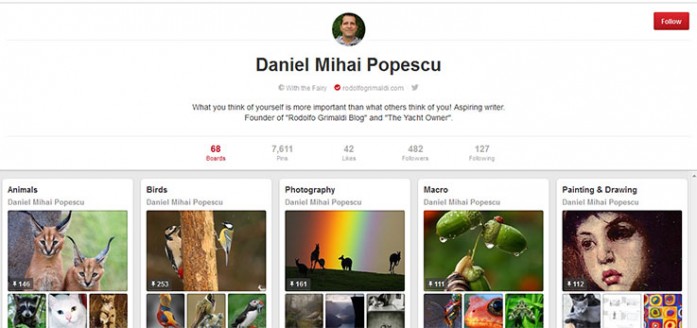
If you liked what you read (and for that I humbly thank you for your patience), subscribe to this blog by Email! Follow this blog on Twitter, and on Facebook! For a joyous day, check out my pins on Pinterest or my grams on Instagram 😄. I hope you like this blog so much that you think it’s time to take a step further by becoming yourself a blogger; in order to do that have the kindness to read the Own Your Website offer I have prepared for you! You won’t regret. Thanks for passing by 😄 Speak your mind, don’t be shy!
Copyright © 2013 Rodolfo Grimaldi Blog – Pinterest Tricks


[…] of your favorite hobbies and ideas. When you pin, especially with a good button (like the one I have shared with you in a previous post), you have to choose a picture from a certain post, and after choosing it, a new popup will offer […]