I’m writing this more as an advice than a tutorial, also explaining the differences between Twitter posts with pictures and posts with the Twitter cards enabled. It is simple and necessary at the same time, especially if you have some nice pictures to illustrate your posts. Pictures invite to clicks, and every click on it sends the reader to your blog post which potentially leads to a conversion, especially if you have something to offer. Even if you don’t sell a service or a product, since you write something on your blog, it’s impossible to not desire to be read by people!
Let’s take it easy, up to the bone.
Why are you using Twitter?
People use Twitter in various ways. Some of them don’t have any idea of it, but the great majority uses it with admirable intuition, and this is the path to future friendships and social expanding. Most of the time you don’t need a “specialist” to tell you what and when to do, because you feel it when you are in the mood for it, and if you don’t panic, you’ll drive a lot of pleasure from Twitter.

Twitter Cards
[source]
What I want to underline is that if you are a blogger or a promoter, you don’t use Twitter just for witty conversations with other smart persons there. You drive some benefits from it if you can and if you know how.
Why are you blogging?
The correct answer is: because you have a passion and you express it by writing in your blog. You don’t take the time and effort to build a blog if you don’t have anything to say, or you consider yourself too busy, or even untalented. Not that there aren’t guys like that around, but they mostly express their lack of talent on free platforms like Blogger. If their choice is a direct result of their taste, I’m afraid they haven’t got any. If it’s just ignorance, that can be cured with knowledge, and I’m sure they’ll find a solution just looking around.
Maybe you just write, meaning you let your prose unaltered by distractions like pictures, videos or graphics. Even so, if you are already known, you will be advised by your PR guy to add some color to your prose, and that will be only to drive some more readers of your posts.
Blogging and Twitter
Blogging and Twitter are walking hand in hand. It’s almost inconceivable to have a blog and not have a Twitter account. Of course, many of you have a Facebook account and don’t think you need a Twitter as well. I found that even some G+ regular users do not deem to make a Twitter account. It’s wrong, but it’s their will and it has to be respected. Anyway, if you don’t have a blog yet, you will learn from this because I’ll try to be less technical than usual 🙂
You write a post and you want to spread the word around. Tweeting it presumes to write your title and your link, plus a hashtag or two, maybe, just in case. Your tweet will look like this:
RT @heatherlloyd: 5 things your SEO copywriter needs to create powerful content https://t.co/jqkbAT03K0 #contentmarketing
— Gabriella Sannino (@GabriellaSannin) July 29, 2016
It’s fine though, it’s classic, it is what Twitter was before they introduced pictures and videos as attachments. You know, you can add a picture or a video to your tweet by simply dragging it in the tweet box, or by clicking on the camera symbol under the tweet box.
It will look like that:
Some Thoughts on the 2016 Oscars Nominees https://t.co/qyU5poLKgK #archives #oscars2016 pic.twitter.com/yCgWRLgpPm
— Daniel Mihai Popescu (@RodolfoGrimaldi) July 31, 2016
Looks nicer then the one above this but it takes a little bit more time to tweet, since you have to put the picture there every time. When you schedule your tweets this can also be time consuming. Best method I used until very recently, was to paste the picture’s link at every tweet’s tail, and worked fine. People look at the pictures, you know? The only thing is that (especially the novices) they don’t always click the link in the tweet, they click the picture! And the picture sends you here:
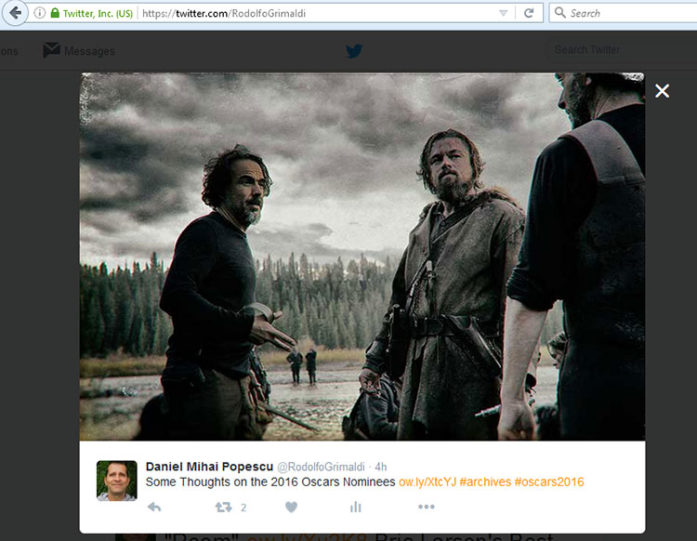
Just the picture on Twitter, in a slightly larger version
That’s simply a larger version of the picture you attached with your tweet. The link is visible, but how do you know the visitor will click on the link under it, to read the article featuring the picture he clicked on? That’s it, you don’t.
If the click is not directly on Twitter stream, but on HootSuite dashboard, or even here, above, on the embedded tweet’s picture, the visitor will be sent here:
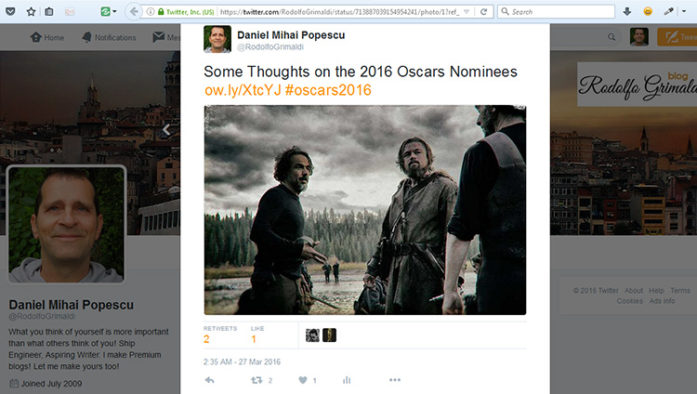
Picture on Twitter Status
As you see, that’s the “status” not your blog post. Again, the post link is still clickable, but is the visitor gonna click on it? Chances are increasingly reduced. They like the picture and they loose attention. Make them – especially because they have the urge to click on the compelling picture – to see it in a larger format on your website! That’s the role of what’s coming next.
Twitter Cards in a breath
I must say, almost in a breath 😉
You are on wordpress.org, meaning you are allowed to use plugins, not as on other platforms. You have three choices to integrate Twitter cards: Jetpack, Yoast SEO or JM Twitter Cards. With any of theese plugins, the result on Twitter, when you enable the “Large photo summary card” option, will be as follows:
"Bridge of Spies" https://t.co/D175MjSOIr #oscars2016 #nominee #rodolfogrimaldiblog No spoilers!
— Daniel Mihai Popescu (@RodolfoGrimaldi) July 31, 2016
I use Yoast SEO, but if you don’t want it (because it’s a little bit complicated for new bloggers), JM Twitter Cards is just fine. Install the plugin from your “Add new” WordPress dashboard button, activate it, go on its settings and complete the form with what you find suited.
Here’s an example with a screenshot from Ipoteze despre concluzii with my settings there:
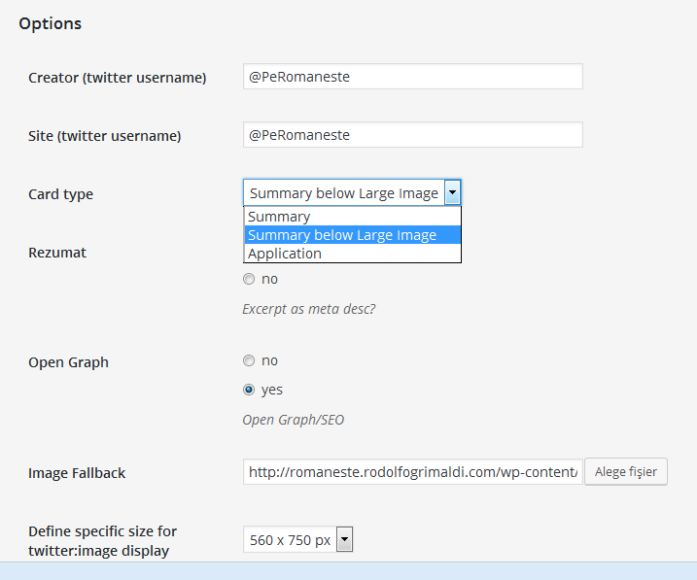
JM Twitter Cards’ Settings
I do not advise Jetpack because it’s too heavy. It has a lot of other “functions” in it: sharing, tracking, forms, contact, blah, blah, blah, and now they have also two more paying versions. One is $99/per year for one site, and the other is “larger”, $299/yearly for 3 WordPress sites. The free one is still ok, if you don’t know what else to use to check your visitors’ statistics, but as I’ve already mentioned, it charges the server too much for your host company’s sake.
After you save your plugin settings, please go to the Twitter Card Validator and paste your URL there. You will check how the tweet will look.
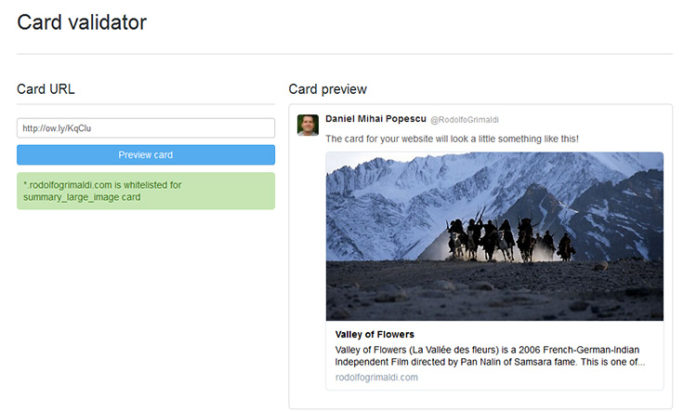
Card Validator on Twitter Dev
If you have something to ask, please don’t be shy.
Before ending
This article is not exhaustive, it doesn’t approach the whole Twitter Cards issue! It’s something for bloggers and for their exposure on Twitter. There are “summary cards”, “audio cards”, “gallery cards”, “player card”s, “product cards”, “app cards”, “lead generation cards”, “website cards”. For any of them, you read the documentation from Twitter Developer’s Page.
An inspiring video about Twitter
This is from Twitter’s official YouTube Channel and it is featured on their developer/documentation section for Twitter Cards, actually where you were sent by my previous link.
My last article about Twitter wasn’t very condescend with my favorite Social Media platform, because they made or they announced they’ll made some disastrous alterations to their policies and codes. No problem, they still live, and we with them. You see, I’m sending you in two places here, one interesting and the other one extremely favorable 🙂
If you liked what you read (and for that I humbly thank you for your patience), subscribe to this blog by Email! Follow this blog on Twitter, and on Facebook! For a joyous day, check out my pins on Pinterest or my grams on Instagram 😄. I hope you like this blog so much that you think it’s time to take a step further by becoming yourself a blogger; in order to do that have the kindness to read the Own Your Website offer I have prepared for you! You won’t regret. Thanks for passing by 😄 Speak your mind, don’t be shy!


Thanks, Daniel — very helpful article. I didn’t understand Twitter cards before, but following your advice I activated mine. Worked great the very first time.
Keep up the great work!
You are welcome, Gary. I had them activated from the beginning, but I preferred to attach pictures to my posts instead. Now Twitter cards show just fine, especially the “summary” and “large picture” types, but when they were initially created, a reader had to click on “expand” or the tweet itself to see them properly. I’m glad my short article has been of any help 🙂